AI lead generation tools can help businesses find potential customers, research companies, enrich contact data, identify useful signals, qualify prospects, and support outreach.
Finding leads is no longer just about building a bigger spreadsheet. Different businesses need different approaches depending on whether they are looking for local businesses, B2B decision-makers, account intelligence, verified contact data, or help with outbound engagement.
The important part is understanding what each tool is actually useful for and where it fits in the lead-generation process.
An application that helps a sales team find B2B decision-makers may not be the same type of tool an agency needs to find local businesses in a specific city.
This guide looks at 10 AI lead generation tools and explains where each one can fit into a real business workflow.
Start With Better Lead Data
Already have a target market in mind?
If you’re looking for local businesses, agencies, or companies by category and location, LeadsScraper can turn Google Maps and Google Search results into structured business data for prospecting and outreach.
What Are AI Lead Generation Tools?
AI lead generation tools use AI, automation, business data, or a combination of these technologies to help businesses find and work with potential customers.
But AI lead generation is broader than simply buying a contact list.
A typical workflow can include:
Find → Research → Enrich → Qualify → Prioritize → Engage
For example, one business may need to find 500 local restaurants in a city. Another may need to identify decision-makers at software companies. A third may already have a lead list and simply need more information about those companies.
Current 2026 guidance from Clay describes AI lead generation around sourcing, researching, qualifying, scoring, and personalizing outreach. Clay’s AI lead generation guide
That is why it makes more sense to choose a tool based on the job you need it to perform.
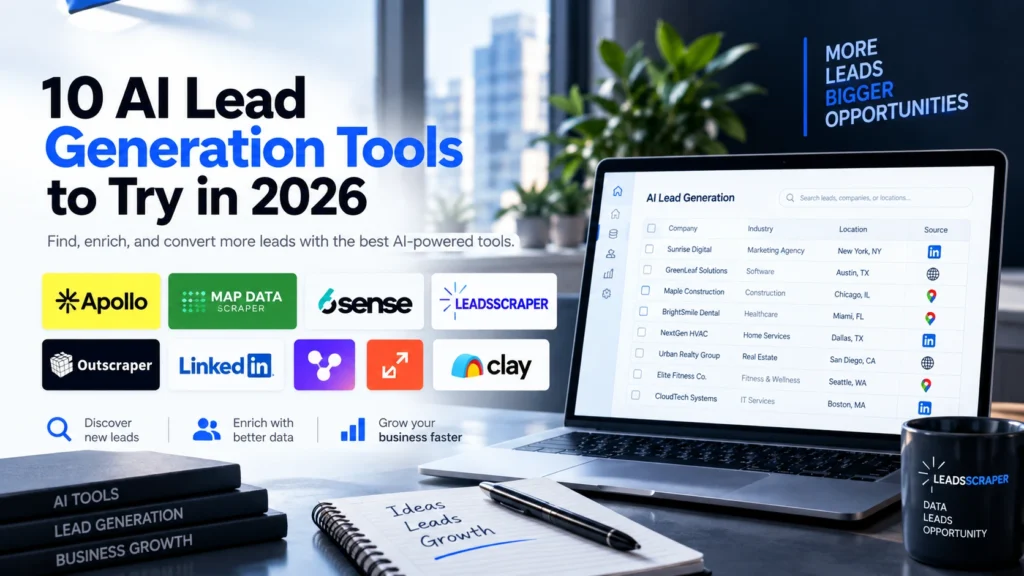
10 AI Lead Generation Tools to Try in 2026
These tools serve different purposes. They are included to show the different ways businesses can use software and AI across the lead-generation process.
Apollo: B2B Prospect Discovery and Engagement
Useful for: Finding B2B contacts, scoring prospects, and supporting sales outreach.
Apollo combines a B2B contact database with search filters, AI-powered lead scoring, intent signals, website visitor tracking, and sales sequences. Its current product page lists more than 240 million contacts and 65+ filters.
Example: A SaaS company can search for companies and contacts that match its target industry, role, and location, then use scoring and outreach features to continue the process.
Clay: Prospect Research and Enrichment
Useful for: Researching companies, enriching records, qualifying prospects, and building AI-assisted workflows.
Clay emphasizes sourcing, research, enrichment, qualification, scoring, and personalized outreach.
Example: An agency already has a list of companies but needs to research each website, determine whether the company fits its target market, and add useful information before contacting them.

ZoomInfo: B2B Company and Account Intelligence
Useful for: Businesses that need company, contact, and account intelligence for B2B prospecting.
ZoomInfo is commonly used for B2B company and contact data, account research, and sales intelligence workflows.
Example: An enterprise sales team can research target companies, identify relevant people, and use account information during prospecting.

Cognism: Sales Intelligence and Contact Research
Useful for: Finding decision-makers, researching accounts, and using buying signals in B2B prospecting.
Cognism’s sales-intelligence platform focuses on account and contact data, verified mobile numbers, buying signals, and target-list building.
Example: A B2B sales team can define its target market, identify relevant decision-makers, and use company or buying signals to support its prospecting process.

LinkedIn Sales Navigator: Professional Prospect Research
Useful for: Researching companies, decision-makers, professional activity, and buyer signals.
LinkedIn’s current Sales Navigator AI features include Account IQ, Lead IQ, company activity summaries, leadership and hiring signals, and AI-assisted outreach.
Example: A salesperson researching a target company can identify relevant people, review company activity, and use that context when preparing outreach.

Outscraper: Business Data Discovery
Useful for: Finding businesses by category and location and collecting structured business data.
Outscraper’s Google Maps Crawler lets users select locations and categories, apply filters, and export results in formats such as CSV, XLSX, JSON, and Parquet.
Example: A marketing agency wants to find restaurants in New York or dental clinics in Los Angeles. Instead of manually opening listings and copying information, it can use a business-data workflow to collect records for further research.
Instantly: Lead Data and Outbound Engagement
Useful for: Combining B2B lead data with email outreach and AI-assisted sales workflows.
Instantly’s platform includes B2B lead data, lead enrichment, AI sales features, research capabilities, and outbound email workflows.
Example: A sales team can find potential B2B contacts, enrich their records, and move appropriate prospects into an outbound email workflow.

LeadsScraper: Location-Based Business Prospecting
Useful for: Finding businesses based on keywords, industries, and locations.
LeadsScraper’s Google Maps Data Scraper lets users search by business category or keyword and location, collect available business information, and export the results. The product supports CSV, Excel, Parquet, and JSON exports, along with filters, enrichments, and API access.
Example:
A web-design agency wants to find restaurants in Miami that could become potential clients.
The workflow can start with:
Restaurant → Miami → Business data → Filter → Qualify → Contact
The important distinction is that a business record is not automatically a qualified lead.
The data gives you a starting point. Your business still needs to decide what makes a prospect relevant.

LeadsScraper
Build Better Lead Lists in Minutes
If your prospecting starts with businesses, locations, and Google Maps, LeadsScraper can help you build the initial business list and continue with your own qualification process.
Start with LeadsScraper6sense: Account Prioritization and Buying Signals
Useful for: Businesses that already have target accounts and need additional signals to help prioritize them.
6sense’s 2026 product updates include buying-stage information, keyword intent, buying signals, verified decision-maker profiles, and CRM matching.
Example: An enterprise sales team has hundreds of target accounts and wants to use buying signals and account activity as part of its prioritization process.

MapDataScraper: Google Maps Business Data
Useful for: Extracting business and location data from Google Maps.
MapDataScraper supports Google Maps business-data extraction, filters, enrichments, API access, and exports including CSV, Excel, Parquet, and JSON.
Example: A researcher or agency needs business listings from several cities and wants structured information that can be exported instead of collected manually.

Where Does Each Tool Fit in Your Lead Generation Workflow?
The easiest way to understand these applications is to connect them to the job your business needs to complete.
Discover
You need to find potential businesses, companies, or contacts.
For local businesses, this can mean searching by business type and location.
LeadsScraper and Outscraper fit naturally into this stage.
For B2B prospecting, platforms such as Apollo, Cognism, ZoomInfo, and LinkedIn Sales Navigator can support company and contact discovery.
Enrich
You already have prospects but need more information.
This can include company details, contact information, industry, company size, technology, or other available signals.
Clay is particularly relevant when research and enrichment are central to the workflow.
Qualify
You have a list, but not every record is a potential customer.
Qualification means checking whether prospects match your business criteria.
For example:
- Industry
- Location
- Company size
- Role
- Business type
- Relevant problem
- Other requirements defined by your ICP
Prioritize
You have qualified prospects but need to decide where to focus first.
This is where scoring, intent, account activity, and buying signals can become useful.
6sense is an example of a platform focused heavily on this part of the workflow.
Engage
You already know who you want to contact.
Now the focus shifts toward personalized messages, email sequences, LinkedIn outreach, and follow-up.
Instantly, Apollo, and LinkedIn Sales Navigator can support different parts of this stage.
Practical AI Lead Generation Examples
Local Business Prospecting
A local marketing agency wants to find potential clients.
The workflow could look like:
Business category → Location → Business data → Filter → Research → Qualify → Outreach
For example:
Marketing agencies + Dallas
The agency can first build the business list and then decide which companies actually fit its offer.
B2B Prospecting
A SaaS company wants to reach companies in a specific industry.
The workflow might be:
Target companies → Decision-makers → Research → Qualification → Outreach
The company list and contact list serve different purposes, so the tools used at each stage may also be different.
Agency Prospecting
An agency may repeat the same process across multiple markets:
- Dentists in New York
- Restaurants in Chicago
- Hotels in Miami
- Contractors in Los Angeles
The discovery process can be repeated while the qualification criteria change for each campaign.
Enterprise Sales
An enterprise sales team may already have a large account list.
Instead of collecting another list, the team may need to understand:
Which accounts should receive attention first?
That makes account intelligence, scoring, and buying signals more relevant than simply increasing lead volume.

What Should You Look For in an AI Lead Generation Tool?
You don’t need every feature.
Start with the information and workflow your business actually needs.
Data
Does the tool provide the type of data you need?
Fit
Does it work with your target market, industry, location, or customer type?
Accuracy
Can important information be verified or reviewed?
Workflow
Can you move the information into the next step of your process?
Automation
Does it reduce repetitive manual work without removing necessary human review?
A simple workflow can be easier to manage than a complicated stack of tools that perform overlapping jobs.
FAQ
Most frequent questions and answers
AI lead generation tools use AI, automation, and data to help businesses discover, research, qualify, prioritize, or engage potential customers. Different tools focus on different parts of the process.
Yes. Some tools can discover businesses based on categories, keywords, and locations, while others focus on B2B companies and professional contacts.
For location-based prospecting, tools such as LeadsScraper and Outscraper can support business-data discovery.
AI can help research prospects and evaluate them against criteria defined by a business.
The business still needs to define what makes a lead qualified.
Yes. Google Maps-focused tools can be useful when the starting point is a business category and location.
For example:
Dentists in Toronto
Restaurants in Miami
Hotels in London
The resulting records still need to be evaluated before they become qualified leads.
Start with the task.
If you need to find businesses, look at business-data discovery tools.
If you need to find B2B contacts, look at sales-intelligence platforms.
If you need to research or enrich prospects, look at enrichment and research tools.
If you need to prioritize accounts, look at scoring and intent platforms.
If you already have qualified prospects, look at outreach and engagement tools.
AI lead generation becomes easier to understand when you start with the problem instead of the software.
Need to find businesses?
Start with business discovery.
Need more information about your leads?
Look at enrichment and research.
Have too many prospects?
Focus on qualification.
Don’t know who to contact first?
Look at account intelligence and buying signals.
Already have qualified prospects?
Focus on outreach.
The right workflow may use one tool or several tools. What matters is that each tool has a clear job.
If your lead-generation process starts with finding businesses by keyword and location, LeadsScraper can help you build that initial business list and export the data for the next step.
Build your next business lead list with LeadsScraper.
Search by business type, keyword, or location, collect available business information, and export your results for prospecting and research.